The official warranty of all products is guaranteed
You can pay cash on delivery
Collect your device with high connections for games and distinguish yourself from others
Fast shipping to all regions across the country
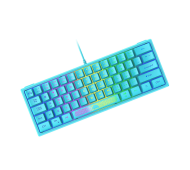


Product codeAA1613
Book directly from the store
Delivery car - courier delivery
Our postman will deliver to the specified address
2-3 days
DHL company-DHL courier delivery
DHL company will deliver to the specified address
1-3 days
: Keyboard Specification
Keyboard Layout : 62 Key
Connection Method: Wired by plugging the USB cable
19 Key Anti-ghosting
Backlight Adjustment: Press FN+P key to adjust backlight mode(Up to 7 Kinds), Press FN+[{/]} key to adjust backlight color when in monochromatic backlight mode(Up to 8 Kinds), Press FN+ ‘” /;: key to increase/decrease backlight brightness, When in flowing backlight mode, Press FN+ [{/]} to slow down/speed up the backlight speed.
FN Key Combination Function: FN+1/2/3/4/5/6/7/8/9/0/-_/+= = F1/F2/F3/F4/F5/F6/F7/F8/F9/F10/F11/F12, FN+Y=PrtSc, FN+U=ScrollLock, FN+I=Pause, FN+H=Insert, FN+J=Home, FN+K=PageUp, FN+N=Delete, FN+M=End, FN+,<=PageDown, FN+Win=Lock Win and App Keys, FN+W=Turn On/Off the direction function of W/A/S/D
: Features
1 Luminous keycap, no need to worry about keycap character’s abrasion, visual symbol can help you understand the FN key combination key function, easy to use.
2 Multiple RGB backlight color and effect for your choice, can be adjusted to fit your preference according to your needs.
3 Radiant Space Bar and Unique Logo Key highlight your personalization
4 Multifunctional FN key combination function to realize more key function.
مواصفات لوحة المفاتيح:
تخطيط لوحة المفاتيح: 62 مفتاحًا
طريقة الاتصال: سلكي عن طريق توصيل كابل USB
19 مفتاحًا مضادًا للظلال
تعديل الإضاءة الخلفية: اضغط على مفتاح FN+P لضبط وضع الإضاءة الخلفية (حتى 7 أنواع)، اضغط على مفتاح FN+[{/]} لضبط لون الإضاءة الخلفية عندما تكون في وضع الإضاءة الخلفية أحادية اللون (حتى 8 أنواع)، اضغط على FN+ "" /;: مفتاح لزيادة/تقليل سطوع الإضاءة الخلفية، عندما تكون في وضع الإضاءة الخلفية المتدفقة، اضغط على FN+ [{/]} لإبطاء/تسريع سرعة الإضاءة الخلفية.
وظيفة مجموعة مفاتيح FN: FN+1/2/3/4/5/6/7/8/9/0/-_/+= = F1/F2/F3/F4/F5/F6/F7/F8/F9 /F10/F11/F12، FN+Y=PrtSc، FN+U=ScrollLock، FN+I=إيقاف مؤقت، FN+H=إدراج، FN+J=Home، FN+K=PageUp، FN+N=حذف، FN +M=End، FN+،<=PageDown، FN+Win=قفل Win ومفاتيح التطبيقات، FN+W=تشغيل/إيقاف وظيفة الاتجاه لـ W/A/S/D
سمات:
1 غطاء مفاتيح مضيء، لا داعي للقلق بشأن كشط شخصية غطاء المفاتيح، يمكن أن يساعدك الرمز البصري على فهم وظيفة مفتاح مجموعة مفاتيح FN، سهلة الاستخدام.
2 لون وتأثير إضاءة خلفية RGB متعددة حسب اختيارك، يمكن تعديلهما ليناسب تفضيلاتك وفقًا لاحتياجاتك.
3 شريط مسافة مشع ومفتاح شعار فريد يسلط الضوء على التخصيص الخاص بك
4 وظيفة تركيبة مفاتيح FN متعددة الوظائف لتحقيق المزيد من الوظائف الرئيسية.













Copyright CS Net Games © 2026